 Replayink
Leave a comment and bring someone into it#
- Add Replayink to Chrome. It also runs in Microsoft Edge.
- Open the page and press the backtick key (the one to the left of
1) to bring out the toolbar. - Press
Cand click the spot you want to talk about. A numbered pin appears, with a box to type in. - Type
@and pick a teammate, or type an email address. The first time, you sign in with Google or with a code sent to your email. - Send. They get that comment and the mark it sits on, and nothing else from the page.
They are told by email and by a bell on their own toolbar. Their answer appears under your comment, with their name on it.
Three ways to share, and what each one shares#
Nothing leaves your browser until you choose one of these, and each says what it shares before it does.
- Mention someone. They see that one comment and the mark under it. A checkbox under the comment lets them see your other marks on the page as well.
- Share the page. The people button on the toolbar shares the page with people or with your whole team. Everyone sees each other's highlights, notes and comments on that page from then on, each person in their own colour.
- Copy a link. Anyone holding the link can read the page's notes. Signing in lets them write.
Marks on pages you have not shared are never sent anywhere.
Keep track of who has to answer#
- The bell lists everything said to you: mentions, replies, pages shared with you and comments given to you to answer.
- Assign a comment to someone and it sits in their Assigned list until it is resolved.
- React under a message with 👍 ✅ 👀 or ❤️ instead of writing a reply that only says "ok".
- The notes panel (
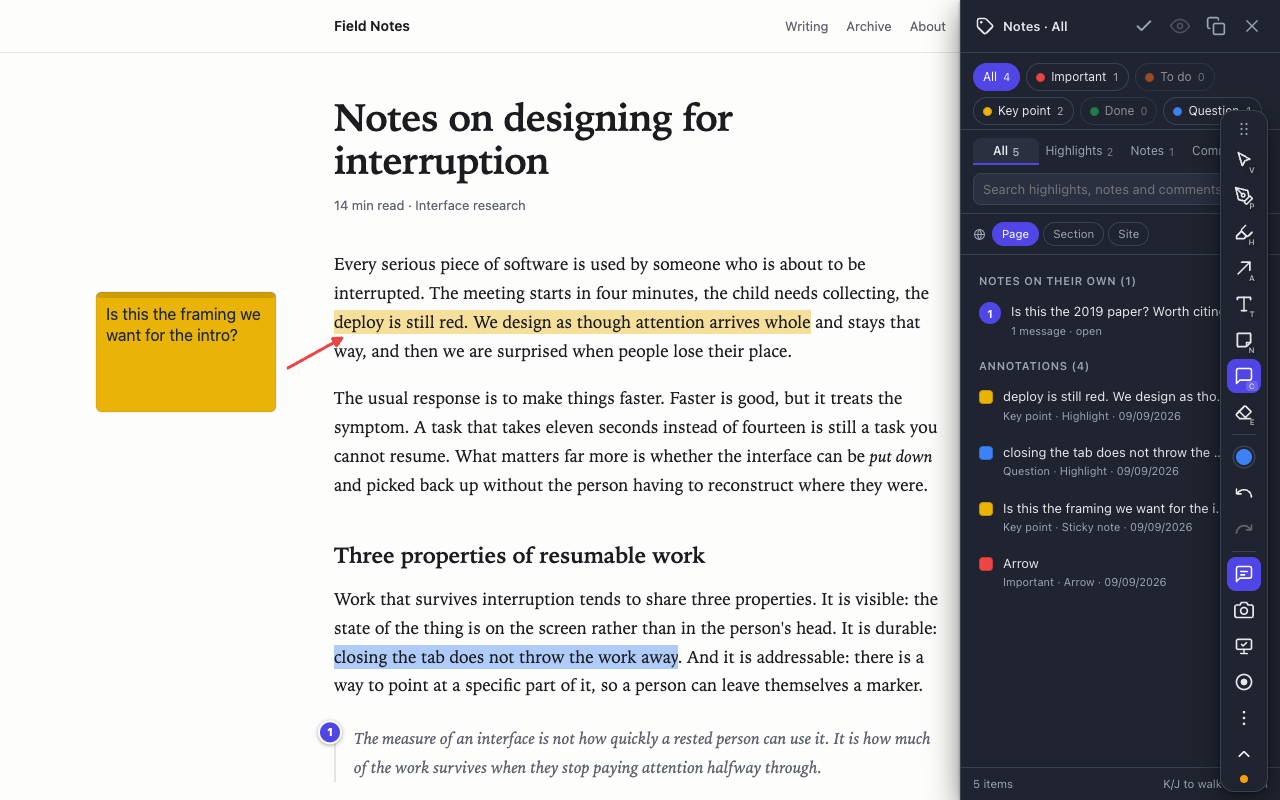
M) lists every comment, note and highlight on the page, with a search box. Click a row to jump to it.
Decide who sees how much#
A person is on a page either for the whole page or only for the comments they are part of. The owner of the page can change that for anyone, or remove them. Anyone can leave a page or mute it.
Being added to someone else's page sends nothing of yours: your own marks on it stay in your browser until you choose to show them.
Work on the page at the same time#
When teammates have the page open together, you see who is there, their pointers with their names and who is typing in a thread, and new comments arrive at once. Follow scrolls your view along with someone else's until you scroll yourself.
Set up a team#
Create a team from the people button, then invite people by email or hand out the invite link. Teammates come first when you type @, and one click shares a page with the whole team.
When the other person cannot open the page#
- A page behind a login. Replayink notices when the other person probably cannot open the page, and offers to send a captured copy of it with your comment.
- Someone without the extension. They get the thread by email and can read it and answer from the page the email links to.
Using it as a website feedback tool#
Designers, developers, testers and clients use the same steps to review a live site: open the staging page, pin a comment on the button that is wrong, and mention whoever fixes it. Draw a box or an arrow first if pointing helps (see how to draw on a web page), or highlight the sentence that needs rewriting.
Highlighting, drawing and taking notes need no account. Only sharing does, because the other person has to know who wrote the comment. What is uploaded when you share is described in the privacy policy.
Add Replayink to Chrome and leave your first comment. Free, for Chrome and Edge.