 Replayink
Open a PDF and highlight it#
- Add Replayink to Chrome. It also runs in Microsoft Edge.
- Click any link to a PDF. It opens in Replayink's viewer instead of Chrome's. A link with no
.pdfin its address still opens here, because the file is recognised by what the server says it is. - Press
Hand drag across the text you want to highlight. This is a text highlight that follows the words, not a rectangle drawn over them. - Press
Nto drop a sticky note,Cto pin a comment, orPto write with the pen.
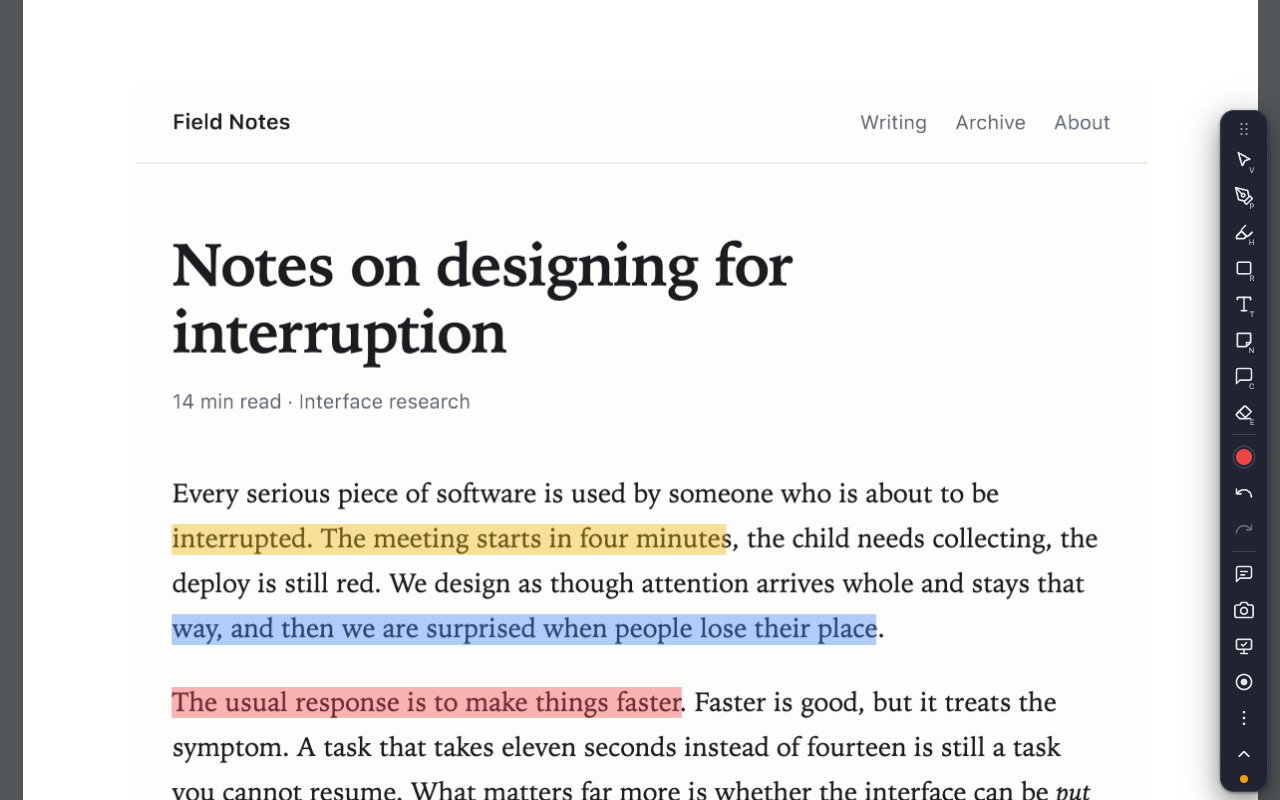
Open a PDF from your computer#
With any PDF open in Replayink, drop a file from your computer onto the page, or choose Open in the toolbar's ⋯ menu. To open local files straight from their file:// address, switch on Allow access to file URLs on the extension's card at chrome://extensions.
The tools you get on a PDF#
- Highlighter (
H) on the PDF's own text, in eight colours on the keys1to8 - Pen (
P), rectangle (R), ellipse (O), line (L) and arrow (A) - Text label (
T) and sticky note (N) - Comment pin (
C) with a thread under it - Eraser (
E), and undo withCtrl+Z(⌘Zon a Mac)
Zoom with Ctrl (or ⌘) and +, - or 0. Rotate, fit to width, open another file and download are in the toolbar's ⋯ menu, along with Open in the browser's viewer if you want Chrome's own one back for a moment.
Where your notes on a PDF are kept#
Your highlights and notes are saved in your browser against the PDF's address, and come back when you open the same link again. Zooming or rotating the page does not move them.
Press M for the notes panel: every highlight, note and comment in the PDF, with a search box. Copy them out as Markdown to paste into your own notes.
A scanned PDF that is only a picture of a page has no text to select, so the text highlighter has nothing to hold on to. Draw a rectangle or use the pen on those.
Send an annotated PDF to someone#
Alt+Shift+Ccopies a screenshot of the page with your marks on it.- For a PDF that has a web address, Copy share link packs your annotations into a link. Whoever opens it with Replayink sees the same marks on the same PDF.
- To work on it together, share the page with your team. See how to comment on a web page with your team.
A download is still a download#
A link that the site marks as a download is left alone and saves to your downloads folder as before.
Add Replayink to Chrome and open a PDF. Free, for Chrome and Edge.